It is
convenient to establish and close a connection to MongoDB in esProc , as well
as to call the database to query and count the data, perform distinct and
aggregate operations.
1. Preparation for connecting to
MongoDB
The MongoDB
Java driver (like mongo-java-driver-2.12.2.jar), which esProc does’nt provide,
should be put into [esProc installation directory]\common\jdbc beforehand when
esProc designer is used to access the database. The MongoDB Java driver’s
download link is https://github.com/mongodb/mongo-java-driver/releases.
To access
MongoDB by calling the esProc script through esProc JDBC in a Java program, the
above MongoDB Java driver needs to be put into the classpath of the Java
program.
2. Create and close a connection to MongoDB
In an esProc
script, mongodb(con) function is used to establish a connection to the MongoDB
database and mdb.close() function is
used to close it, as shown by the following code:
A1: Connect
to MongoDB. IP and port are localhost:27017; database name is test, and so are
the user name and the password.
A2: Close
the MongoDB connection.
3. Common data query and selection
Let’s take
the employee, a collection in the
database whose name is test, of
MongoDB as an example to illustrate the esProc script for accessing MongoDB.
Some of the data of employee are as
follows:
{
"_id" : ObjectId("546aea22ee62ea452bdef4fe"),
"EID" : 1, "NAME" : "Rebecca", "
SURNAME"
: "Moore", "GENDER" : "F", "STATE" :
"California", "BIRTHDAY" : "1974-1
1-20",
"HIREDATE" : "2005-03-11", "DEPT" :
"R&D", "SALARY" : 7000 }
{
"_id" : ObjectId("546aea22ee62ea452bdef4ff"),
"EID" : 2, "NAME" : "Ashley", "S
URNAME"
: "Wilson", "GENDER" : "F", "STATE" :
"New York", "BIRTHDAY" : "1980-07-
19",
"HIREDATE" : "2008-03-16", "DEPT" :
"Finance", "SALARY" : 11000 }
{
"_id" : ObjectId("546aea22ee62ea452bdef500"),
"EID" : 3, "NAME" : "Rachel", "S
URNAME"
: "Johnson", "GENDER" : "F", "STATE" :
"New Mexico", "BIRTHDAY" : "1970-
12-17",
"HIREDATE" : "2010-12-01", "DEPT" :
"Sales", "SALARY" : 9000 }
…
The
following is a sample of esProc script for querying data of the collection of
MongoDB:
A2:
Filter and query the data of employee.
find function’s first parameter is employee, the collection’s name; its
second parameter is the filtering criterion: STATE=” California” and SALARY
>4,000; the third one specifies which properties should be fetched (here
GENDER won’t be fetched). Noticed that esProc uses the same parameter format as
that used in MongoDB’s find statement.
The
function returns a cursor, which can fetch data in batch for computing when the
result set is big, so as to avoid the memory overflow. The usage of cursor has
been explained in detail in esProc-related documents. Here suppose the data are
not big and use fetch function to fetch
all the results for observation:
4.Query and filter nested arrays and documents
Nested
arrays and docements are multilevel data structure specific to MongoDB. The
Java application doesn’t support this multilevel data structure when it
accesses MongoDB through JDBC. Because esProc supports referencing data by
fields, like referencing a record sequence by a field, it can fetch the nested
arrays and documents of MongoDB.
For a nested
array, let’s look at a collection – fruitshop:
{
"_id" : ObjectId("548a58c19cfbc9dd702eb71e"),
"name" : "big fruit", "fruits" :
[ "apple", "pear",
"orange" ] }
{
"_id" : ObjectId("548a58c19cfbc9dd702eb71f"),
"name" : "good fruit", "fruits"
:
[ "banana", "pear", "orange" ] }
{
"_id" : ObjectId("548a58c29cfbc9dd702eb720"),
"name" : "my fruit", "fruits" :
[
"banana", "apple", "tomato" ] }
And for a
nested docment, let’s look at this collection – blogs:
{
"_id" : ObjectId("548a59fa9cfbc9dd702eb721"),
"content" : "It is too hot", "co
mment"
: [ { "author" : "joe", "score" : 3,
"comment" : "just so so!" }, { "auth
or" :
"jimmy", "score" : 5, "comment" : "cool!
good!" } ] }
{
"_id" : ObjectId("548a59fa9cfbc9dd702eb722"),
"content" : "It is too cold", "c
omment"
: [ { "author" : "james", "score" : 1,
"comment" : "yes!" }, { "author"
:
"jimmy", "score" : 5, "comment" :
"cool!" } ] }
{
"_id" : ObjectId("548a59fb9cfbc9dd702eb723"),
"content" : "It is windy day tod
ay",
"comment" : [ { "author" : "tom",
"score" : 3, "comment" : "I do not think
so!" },
{ "author" : "jimmy", "score" : 5,
"comment" : "cool!" } ] }
esProc
script for querying and filtering data of the two collections:
A2: The filtering criterion of find
function includes the pear insead of
being equal to pear, for the fruits is an array. The return result of
find funciton is a cursor, from which
the resulting table sequence is fetched using fetch function and you can see fruits
field is a referencing field, which references a sequence consisiting of
various fruits names, as shown below:
Click the
blue part of the first row to see the detailed information of the referenced
sequence, as shown below:
Based on
this table sequence with a referencing field, esProc can further perform more
complicated set operations.
A3: comment is a collection of documents, and the filtering
criterion is the comment’s documents
whose author is jimmy. find function returns
a cursor, from which the table sequence is fetched using fetch function. comment
field of the table sequence is a referencing field that references a table
sequence, as shown below:
Click the blue
part of the second row to see the detailed information of the table sequence,
as shown below:
Based on
this table sequence with a referencing field, esProc can further perform more
complicated set operations. Here further discussion is omitted.
5. Count the data, perfor distinct and aggregate operations
With more
powerful ability in computing and flow control, usually esProc is used to
perform the complicated multi-step operation and MongoDB, a highly-efficient storage
solution, is responsible for providing data without participating in the
computation. But considering the performance loss during the data transmission,
you can use MongoDB alone to perform some simple aggregate operations.
esProc
provides the way of calling MongoDB interface to count the data, perform
distinct and aggregate operations. Different from the find function for querying and filtering data, the return results
of the three operations are table sequences instead of cursors. A sample code
is as follows:
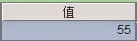
A2:
Count the number of eligible files in employee,
a collection, using count function.
The function’s first parameter is employee, the collection’s name; its second
parameter is the filtering criterion: STATE=” California”. The result is count
value:
A3:
Get the distinct values from employee
using distinct function. The function’s
first parameter is employee, the collection’s name, and the second parameter is
one of the properties, DEPT. The return result is a table sequence consisting
of employee’s DEPT without duplicate members:
A4: Group
and summarize employee. The first parameter
of aggregate function is employee,
the collection’s name, and the second one includes the grouping property and
aggregate property, which means the data of the collection will be grouped by
DEPT and then count the number of files in each group. aggregate function returns a cursor as well, whose data will be
fetched all at once using fetch
function.
A5: Group
and summarize employee, which is the
same as the above. But another aggregate property is added to the second
parameter of aggregate function,
which means grouping the data of the set by DEPT and computing the average
value of SALARY in each group.